
Medical Device Installation and Handover Checklist
A medical device installation and handover checklist for facility teams covering site readiness, acceptance tests, user training, records, and safe release.
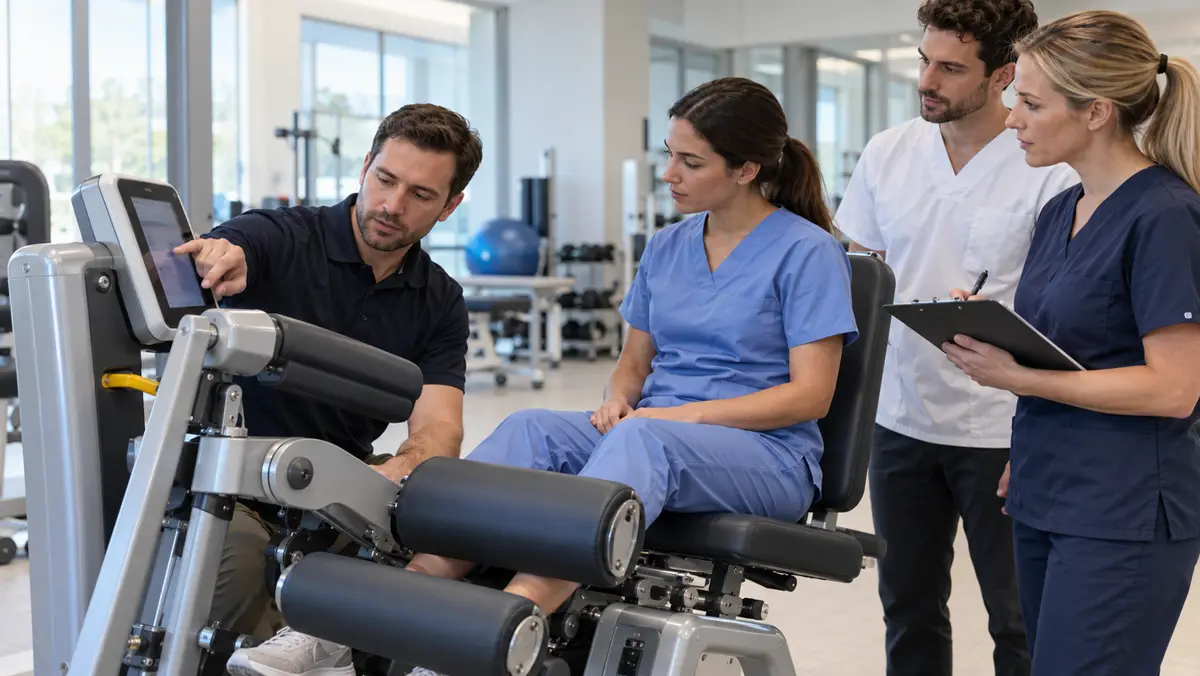
A new medical device is not ready for patient use simply because it has arrived and powers on. Before the first appointment, a facility needs to verify that the correct device and accessories were delivered, the room and utilities are suitable, safety and performance checks are documented, and the people using it know the approved workflow. Installation and handover are the bridge between selecting equipment and operating it responsibly.
This checklist is designed for rehabilitation, diagnostics, and wellness facilities bringing a new device into service. It focuses on practical acceptance, training, documentation, and safe release. It is not a substitute for the manufacturer's instructions, qualified biomedical engineering assessment, or applicable regulatory requirements. Different devices have different technical tests and clinical risks.
1. Confirm the delivered device and accessories
Start with the exact make, model, configuration, serial number, software version where relevant, and included accessories. Compare the delivery with the approved specification and packing list. Check for visible damage, missing components, incorrect power supplies, or accessories that do not match the intended use. Keep delivery documentation linked to the device record.
Do not assume that two models in the same family have identical capabilities. A treatment console may require a particular applicator, probe, electrode, or consumable to support the planned service. A diagnostic device may need an appropriate sensor and software option. Resolve discrepancies before signing operational acceptance. An incomplete system can appear functional but fail when the first real workflow is attempted.
Our guide to medical equipment planning for longevity facilities starts earlier, at matching a device to service needs. Handover should verify that the delivered configuration still matches that plan.
2. Check the environment and site readiness
Installation depends on more than floor space. Confirm power supply, grounding where required, ventilation, temperature and humidity limits, network connectivity, safe cable routing, patient access, operator visibility, and cleaning arrangements. Some devices require medical gases, water, drainage, or other dedicated utilities. The manufacturer should specify these requirements before installation.
The room should support the actual clinical workflow. Can the patient enter and leave safely? Is there enough space for transfers and emergency access? Can staff clean all patient-contact surfaces? Are controls visible without unsafe positioning? An equipment plan drawn on paper may need adjustment after a physical walk-through.
Specialized systems may have additional environmental risk. Our cryotherapy chamber safety guide illustrates why ventilation and trained operation must be considered together with the device. The point is not that every device needs the same room, but that every device needs its own site-readiness check.
3. Separate installation from acceptance testing
Installing a device means assembling and connecting it according to instructions. Acceptance testing asks a different question: does this particular unit function correctly and safely in this facility? The process may include visual inspection, electrical safety checks, calibration or output verification, software checks, accessories, alarms, and functional demonstrations. The exact tests must follow device type, manufacturer specifications, and facility policy.
A WHO medical-device technical document describes incoming inspection, inventory, training for safe use, and maintenance as connected stages of technology management. A UK government healthcare-technology guide likewise describes acceptance as verifying delivery, installation, commissioning, safety, function, initial training, records, and handover. Facilities should document what was tested, by whom, using which method, and whether each result passed.
Avoid accepting “it switched on” as a complete performance test. A device can illuminate and still have inaccurate output or a missing safety function. If a check fails, record the issue, label the device as not ready for use, and repeat the relevant tests after correction. A verbal assurance should not replace a traceable record.
4. Verify the intended clinical workflow
Once technical readiness is established, walk through a realistic use case without a patient. Check startup, user login if applicable, patient setup, selection of a protocol, contraindication screening, session monitoring, stopping the session, cleaning, and shutdown. Confirm the written workflow matches how staff will actually use the device.
For a diagnostic system, include how measurements are stored, interpreted, exported, and reviewed. For a treatment system, include how parameters are selected and documented, and which changes require a clinician's authorization. If the device generates reports, check that names, dates, units, and other fields are accurate. A technically functioning machine can still create clinical risk if its workflow or data handling is unclear.
Our diagnostic ultrasound for physio buyer checklist emphasizes image quality and intended use. At handover, those requirements should become testable workflows rather than marketing descriptions.
5. Train users and name the owner
Initial training should cover more than pressing start. Operators need to understand intended use, contraindications, patient setup, routine checks, alarms, cleaning, basic troubleshooting, and the threshold for taking the device out of service. Keep a record of who attended, the version or configuration taught, and whether a practical demonstration was completed.
Different staff may need different training. Clinicians may need protocol and patient-selection guidance. Support staff may need cleaning and daily-check instructions. Biomedical staff may need maintenance documentation and escalation contacts. New staff should not have to rely on an informal explanation from whoever happens to be available that day.
Assign one named owner for the device record and one clear path for reporting faults. Define who is authorized to update software, change settings, approve accessories, or release the machine after repair. Without ownership, small unresolved issues can persist until a busy day exposes them.
6. Create the baseline record
The handover file should include the serial number, location, configuration, manuals, service contacts, acceptance results, calibration or safety certificates where applicable, training record, software version, maintenance schedule, and any restrictions. Add the device to the facility inventory before it enters clinical use. A baseline makes later troubleshooting and performance comparisons possible.
Our medical equipment maintenance checklist covers the next phase: inspections, preventive maintenance, fault reporting, and service records. Handover is where that ongoing plan begins. If maintenance tasks are not assigned until months later, the first scheduled checks may already be missed.
Store records where the responsible team can retrieve them. A collection of messages on personal phones is not a reliable device history. If the unit moves rooms or ownership changes, update the inventory and confirm the new setting still meets the requirements.
7. Define a clear release-to-use decision
Before the first patient session, a responsible person should review whether delivery matches specification, site requirements are met, acceptance tests are passed, staff are trained, and the device record is complete. The decision should be recorded with a date and the name or role of the approver. If any required element remains open, document the restriction and do not silently treat the device as fully operational.
The release process should also cover what happens after a major repair, relocation, software change, or accessory replacement. Some changes require a repeat of specific checks or additional training. The correct scope depends on the device and the change made. A good handover process is therefore a reusable safety framework, not a one-time ceremony.
Common mistakes to avoid
One mistake is signing handover before staff have tested a realistic workflow. Another is accepting a training session without a record of who attended. A third is keeping calibration, safety testing, and operator orientation in separate files with no link to the device identifier. Finally, facilities sometimes assume a service agreement automatically includes all relevant inspections. Scope must be checked device by device.
The practical fix is a short acceptance checklist with evidence beside each item. Record the serial number, task, result, responsible person, date, and unresolved issue. This is not paperwork for its own sake. It makes the decision to use equipment transparent and defensible.
Frequently asked questions
Is installation the same as commissioning?
No. Installation connects and configures the device. Commissioning or acceptance confirms that the installed unit performs as intended and meets the relevant safety and operational checks.
Can a device be used if training is still pending?
That depends on facility policy and the device, but patient-facing use should not begin with untrained operators. Any restricted use must be formally authorized and documented rather than assumed.
Does every device need calibration at handover?
Not every device requires the same calibration process. Follow manufacturer instructions and the facility's technical requirements. Document any measurement or output verification that does apply.
What should be done if an accessory is missing?
Record the discrepancy and assess whether it affects safe or intended use. Do not silently substitute an unverified accessory. Complete the relevant acceptance checks once the correct component is available.
Who should approve release for patient use?
The facility should name the responsible technical and clinical roles in its policy. Approval should follow completed testing, training, and documentation, with unresolved restrictions clearly recorded.
Sources and operational note
This checklist uses the WHO inventory and maintenance management publication and the healthcare technology procurement and commissioning guide. It is an operational guide, not device-specific technical instruction or legal advice.