Clean Medical Equipment Before Service: A Checklist
A practical facility checklist for cleaning and documenting medical equipment before service, then verifying it before return to patient use.
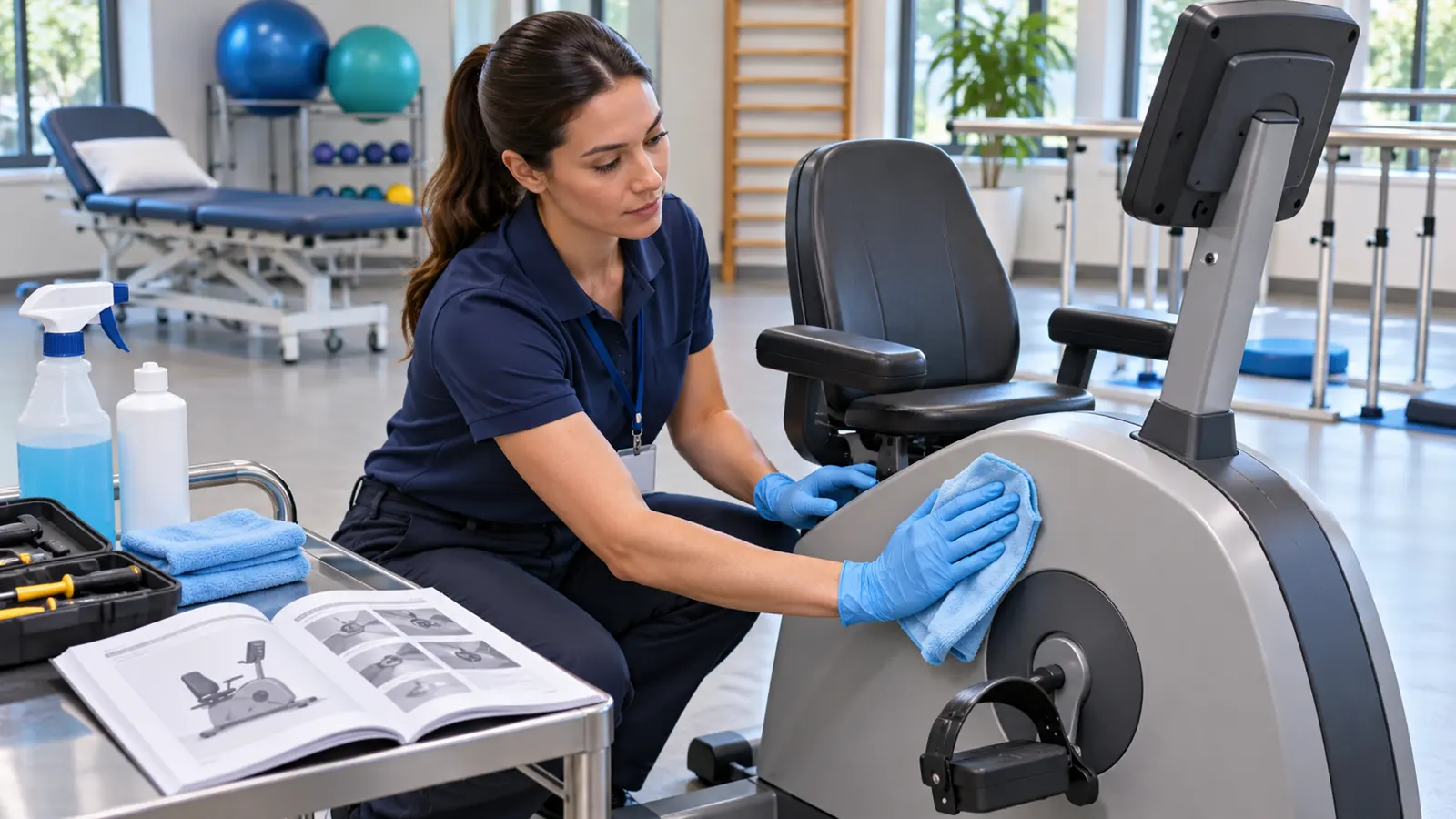
An engineer arrives to repair a rehabilitation device, but nobody can say whether it was cleaned after the last patient. The technician may be exposed to contamination, a connector may be damaged by an unsuitable chemical, and the device's return to use may be delayed. This is an operational issue that sits between infection prevention and equipment maintenance. A clear handoff process protects staff, preserves the device, and gives the facility an auditable record.
This article offers a cleaning and decontamination checklist before medical equipment service for facilities that use rehabilitation and wellness technology. It is separate from our preventive maintenance checklist, which focuses on service planning. The exact cleaning method must come from the device manufacturer's instructions and the facility's infection prevention policy. No generic wipe or spray works for every device.
Why cleaning belongs in the service workflow
Medical devices move between patients, clinicians, engineers, storage areas, and sometimes an external workshop. Each transition can create ambiguity about who last cleaned a contact surface and who is responsible next. The CDC infection control guidance says medical equipment must be cleaned and maintained according to manufacturers' instructions to prevent transmission. For facilities, the practical consequence is simple: a service request should include the device's cleaning status, not only the fault description.
The type of equipment matters. A rehabilitation treadmill, body composition analyzer, ultrasound probe, or reusable instrument may touch different parts of the body and have different processing requirements. The FDA explains that reusable medical devices need device-specific reprocessing. Cleaning the external casing of an electronic unit is not the same as reprocessing a probe or instrument that contacts mucous membranes or nonintact skin.
Step 1: Identify the device and its contact points
Record the model, serial number, location, and fault. Ask where patients and staff touch the equipment. Handrails, pads, cuffs, consoles, straps, probes, cables, footplates, and touchscreens can require different care. Include any detachable accessories in the service request. If a part is single use, do not send it for routine cleaning and reuse unless the relevant instructions and rules permit it.
Check the current instructions for use, cleaning instructions, and any facility-specific procedure. If they disagree or the instructions are unavailable, pause and ask the manufacturer or qualified infection prevention lead. Do not substitute a product that happens to be on a trolley. Material compatibility matters: moisture can enter electronics, some chemicals damage coatings, and repeated use of an incompatible disinfectant can impair performance.
Step 2: Decide whether the device can stay in use
A device waiting for repair should be clearly identified and kept out of patient use when its fault may affect safety or accuracy. Inform the people who schedule sessions, not only the maintenance team. If the device has a suspected infection control issue, isolate it according to facility policy. Do not rely on a handwritten note that can be lost. Update the equipment inventory record with status, location, and the responsible person.
This step also prevents a common mix-up: cleaning a device does not prove it is functionally safe, and repairing it does not prove it is ready for patient contact. Both checks need a record. A replacement device should have its own cleaning and function status before it is put into service.
Step 3: Use the right cleaning level
The level of processing depends on what the device contacts. Noncritical equipment that touches intact skin generally needs cleaning and appropriate disinfection according to manufacturer instructions and facility policy. Devices that contact mucous membranes or nonintact skin may require higher-level processes. Instruments entering sterile tissue require sterilisation. The CDC disinfection guidance describes these broad categories, but the device's validated instructions govern the actual steps.
Visible soil must be addressed before a disinfectant can work as intended. Contact time, concentration, surface wetness, rinsing, drying, and protective equipment should follow the product label and device instructions. Spraying an electrical unit or immersing a component without approval can damage it. Staff should know which areas must not get wet and what to do if a surface cannot be cleaned safely because of the fault.
Step 4: Document what was done
A short service handoff form can include the device ID, date and time, cleaning operator, method used, accessories processed, any visible contamination, and any parts that could not be cleaned. It should state whether the device is ready for the technician to handle. If the device was used for a patient under additional infection precautions, follow the facility's escalation process without putting personal health information on a public-facing equipment tag.
Records need enough detail to be useful, but should not become a duplicate patient chart. Separate a device's cleaning status from patient-identifiable details. Our installation and handover checklist shows how a disciplined sign-off can clarify ownership when equipment moves between teams. Apply the same clarity to service handoffs.
Step 5: Brief the service technician
The engineer needs the fault description and safety context. Explain what has been cleaned, which components remain unprocessed, whether the device has been isolated from use, and whether special precautions apply. If the device cannot be cleaned before access, agree on a safe method with the qualified team rather than silently handing it over. The technician should follow electrical isolation and manufacturer procedures for service work; a cleaning checklist is not a substitute for technical safety precautions.
If a device will leave the premises, document transport packaging, the receiving party, and what declaration of decontamination is required. Do not claim the device is sterile simply because its exterior was wiped. A signed declaration should say exactly what was done and what remains. The receiving workshop may have its own intake rules.
Step 6: Clean and verify after the repair
Service can introduce new contamination through handling, tools, or opened panels. Before returning the device to patient use, confirm that the technician has completed the work, the equipment has passed the required functional and safety checks, and all patient-contact parts have been cleaned or reprocessed appropriately. Review accessories and cables that were disconnected or replaced. Record who authorised the return to service and when.
The FDA's description of servicing focuses on returning a device to its original safety and performance specifications for its intended use. A facility also needs the infection prevention sign-off before the next patient. One signature may not cover both responsibilities unless the staff member is qualified for both.
Common mistakes to avoid
The first mistake is treating all equipment as if it needs the same disinfectant. The second is cleaning only the visible console while forgetting straps, electrodes, cuffs, handrails, or detachable probes. The third is letting a device marked “under service” drift back into a therapy room without a function check. The fourth is recording a generic “cleaned” status without date, method, or operator.
Another mistake is assuming a manufacturer warranty or annual maintenance contract covers every cleaning task. The warranty versus AMC guide explains why responsibilities should be written down. Cleaning is normally a facility operation, while specialised service follows contract terms. Clarify the boundary before the engineer arrives.
A reusable service handoff checklist
- Confirm device identity, fault, and whether it must be removed from use.
- Retrieve the current manufacturer cleaning and service instructions.
- List every patient-contact accessory and detachable component.
- Assign trained staff to the required cleaning or reprocessing.
- Record any area that cannot be safely processed and why.
- Label the device status and notify the scheduling team.
- Give the engineer an accurate cleaning declaration and fault history.
- Document service, functional testing, and any replaced parts.
- Complete cleaning and infection prevention review after service.
- Authorise return to patient use and update the inventory record.
The checklist should be adapted to your devices and local policies. It is a coordination tool, not a substitute for validated instructions or staff training. Review the process after near misses and after purchasing a new device type.
Frequently asked questions
Can a device be serviced before it is cleaned?
Sometimes a fault makes full cleaning impossible. That must be documented and managed with appropriate precautions by qualified staff. Never mark it clean without completing the required process.
Is a disinfectant wipe enough for all rehabilitation equipment?
No. Contact type, materials, and manufacturer instructions determine the process. An external wipe does not reprocess a probe or instrument that needs a higher level of disinfection.
Who signs the device back into use?
The facility should identify responsible technical and clinical or infection prevention roles in its policy. A service completion note alone may not cover patient-contact readiness.
Should the cleaning log include patient names?
Usually a device status log can be maintained without placing identifiable patient data on a public tag. Follow your facility's privacy and incident policies for any necessary link to a patient record.
Does an AMC cover cleaning before service?
Do not assume so. Check the contract and local workflow. Most facilities should define the cleaning responsibility explicitly before a service visit.
This operational guide does not replace manufacturer instructions, facility infection prevention policy, or applicable local requirements.